Physical Address
304 North Cardinal St.
Dorchester Center, MA 02124
Physical Address
304 North Cardinal St.
Dorchester Center, MA 02124
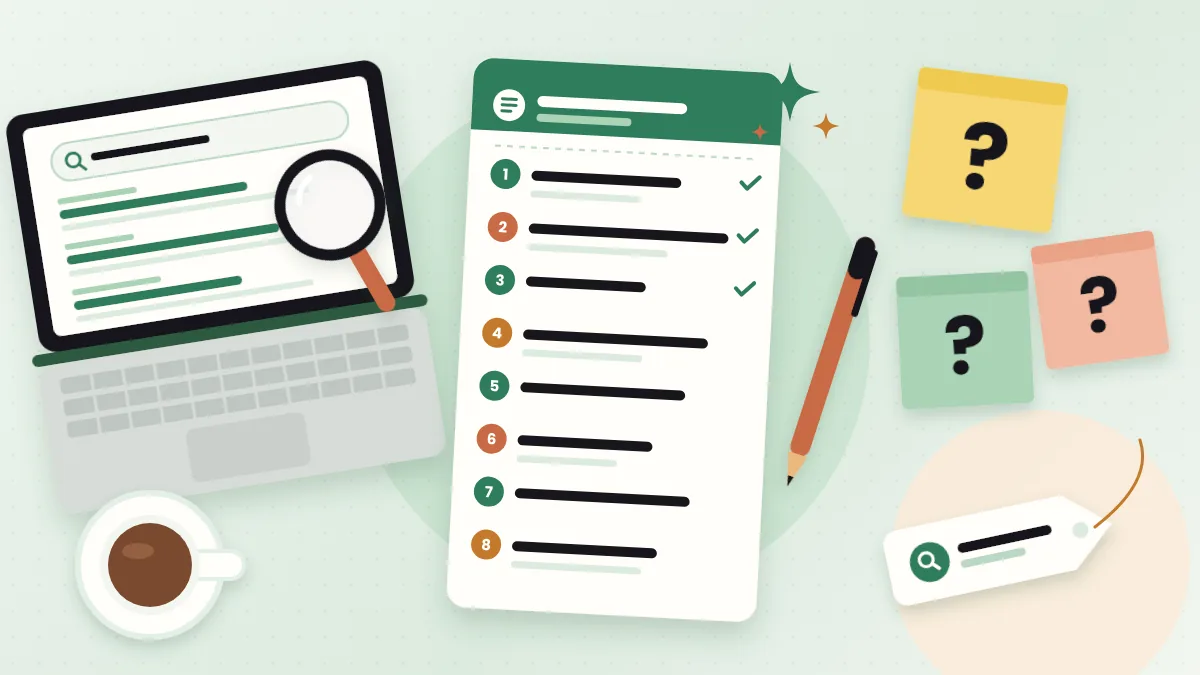
Skip the rewrite. Make an AI content brief in 6 simple steps: you collect the real inputs, AI sorts them, and you finish with a free, copy-ready content brief template.
Most bloggers skip the planning. You have an idea, you open a blank page, and you just start writing. An AI content brief feels like extra work for agencies, not for you.
But there’s a problem.
A post without a plan wanders. It answers questions nobody asked and misses the one question the searcher really had. Then you rewrite it. Or worse, you publish it and it never gets read.
If this sounds like you, you’re not alone. Planning feels slow, and writing feels like progress.
But there’s a fix. A one-page brief takes about 20 minutes when AI helps you, and it can save you hours of rewriting.
In this post, I’ll show you how to make a content brief with AI in 6 simple steps. You’ll also get a free, copy-ready content brief template and the exact prompts to fill it.
In short
On this page
“I’ve heard of content briefs, but I thought they were for agencies with big teams.”
That’s a common belief. And it’s half true. Agencies use briefs so a writer knows exactly what the client wants. But a solo blogger needs the same thing. You’re the client and the writer.
A content brief is a short plan you write before the post. It’s like a recipe card. The recipe doesn’t cook the meal for you. But it tells you what goes in, in what order, so you don’t forget the salt.
Basically, a brief answers three questions before you write a single paragraph: Who is this for? What did they search? What must the post answer?
So where does AI come in? The slow part of a brief is turning messy notes into neat headings and questions. AI is very good at that part. You still bring the facts and the judgment.
“I don’t even know what goes in a brief.”
Keep it simple. I call this the 8-Part Brief. If a part doesn’t help the post, skip it.
| Part | What it answers | Who fills it |
|---|---|---|
| 1. Focus keyword | What did the reader type into Google? | You (from keyword research) |
| 2. Reader + problem | Who is reading, and what is bugging them? | You |
| 3. Search intent | Do they want to learn, compare, or buy? | You, after looking at page 1 |
| 4. Headings (H2/H3) | What sections does the post need, in what order? | AI drafts, you edit |
| 5. Questions to answer | What do people ask about this topic? | You collect, AI groups them |
| 6. Sources | Where do the facts come from? | You |
| 7. Internal links | Which of your own posts should this link to? | You |
| 8. Call to action | What should the reader do next? | You |
Notice something? AI only drafts two of the eight parts. That’s on purpose. The parts that need real facts and real judgment stay with you.
Here’s the 8-Part Brief as a plain template. Copy it into a Google Doc or your notes app and fill one per post.
CONTENT BRIEF
Working title:
1. Focus keyword:
   Supporting keywords:
2. Reader: [who they are]
   Their problem, in their words:
3. Search intent: [learn / compare / buy / do]
   What page 1 shows: [guides, lists, tools, forums...]
   Gap I can fill:
4. Headings:
   H2:
   H2:
   H2:
   H2: FAQ
5. Questions to answer:
   -
   -
   -
6. Sources (official first):
   -
7. Internal links:
   -
8. Call to action:
Notes: [my own experience, examples, things to avoid]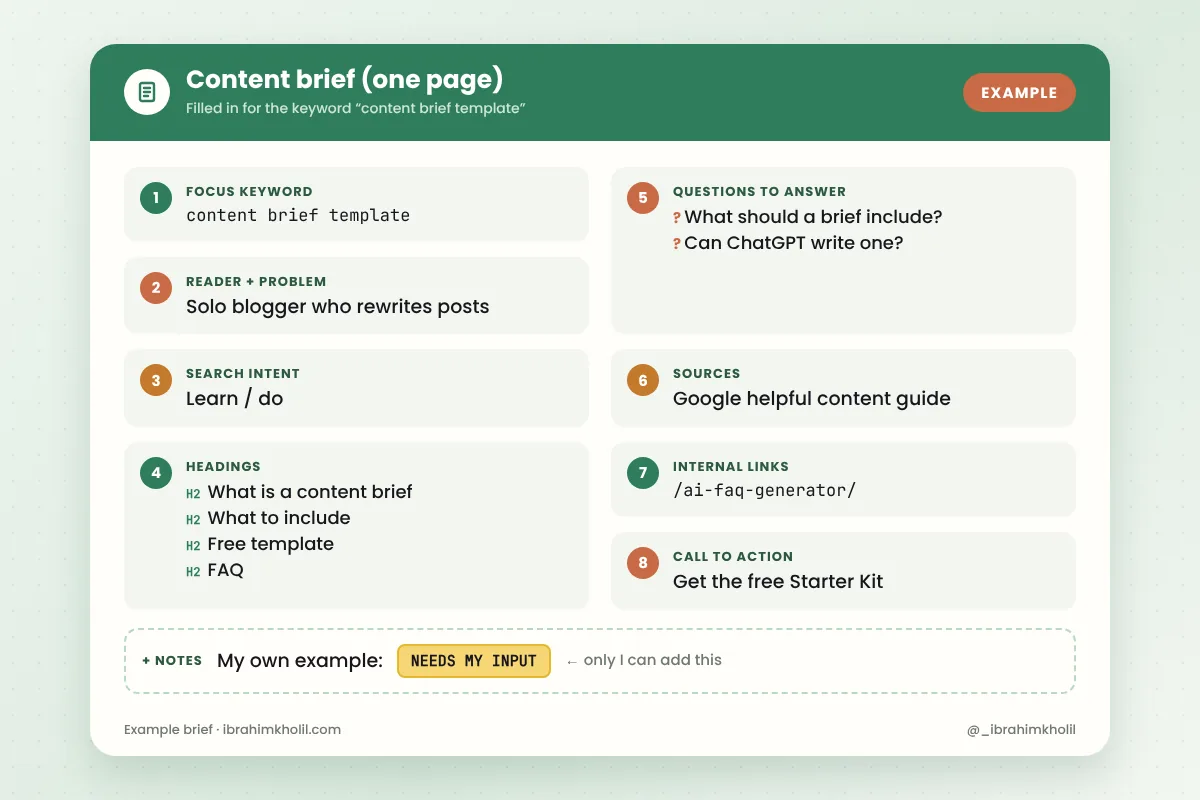
Good to know
The “Notes” line matters more than it looks. Google’s guide to helpful, people-first content asks whether your content provides original information, reporting, research or analysis. Your own examples are the one thing AI can’t add for you, so write them down in the brief.
“Making a brief by hand takes longer than writing the post.”
It doesn’t have to. Here’s the whole workflow at a glance. You do the research, and AI does the sorting.
One post, one main keyword. Pick the phrase your reader would really type, like “content brief template” or “how to write a content brief”.
Already have a blog? Check Google Search Console. Its Performance report shows the searches people already use to find your site. Those are great starting points.
Write the keyword and 2 to 4 related phrases into part 1 of the template.
This is the step most people skip. And it’s why their AI briefs feel generic.
Search your keyword and open the top results. Don’t copy them. Just take short notes:
The page types on page 1 tell you the search intent. If every result is a how-to guide, a sales page won’t fit.
Real questions make a brief useful. Look in these places and paste every question into your notes:
You’ll use the same method to build a real FAQ. I explain it step by step in how to build an FAQ with an AI FAQ generator.
Now open a free AI chatbot like ChatGPT, Gemini or Claude. Paste this prompt with your notes from Steps 1 to 3:
You are helping me plan a blog post. Fill in the content brief below using ONLY my notes.
Rules:
- Don't invent statistics, studies, quotes, tools or competitors.
- If my notes don't cover a part, write "NEEDS MY INPUT".
- Put the focus keyword in at least one H2.
- Write headings the way a real reader would search, in plain English.
- Suggest 5 to 8 FAQ questions, using the questions I collected first.

Focus keyword: [your keyword]
Supporting keywords: [2-4 related phrases]
My reader: [who they are and their problem]
What page 1 shows: [your notes from Step 2]
Gap I want to fill: [what's missing on page 1]
Questions people ask: [paste your list]
My own experience or examples: [notes]

Use this template:
[paste the 8-part content brief template]
The “NEEDS MY INPUT” rule is the important part. It shows you where AI would otherwise guess.
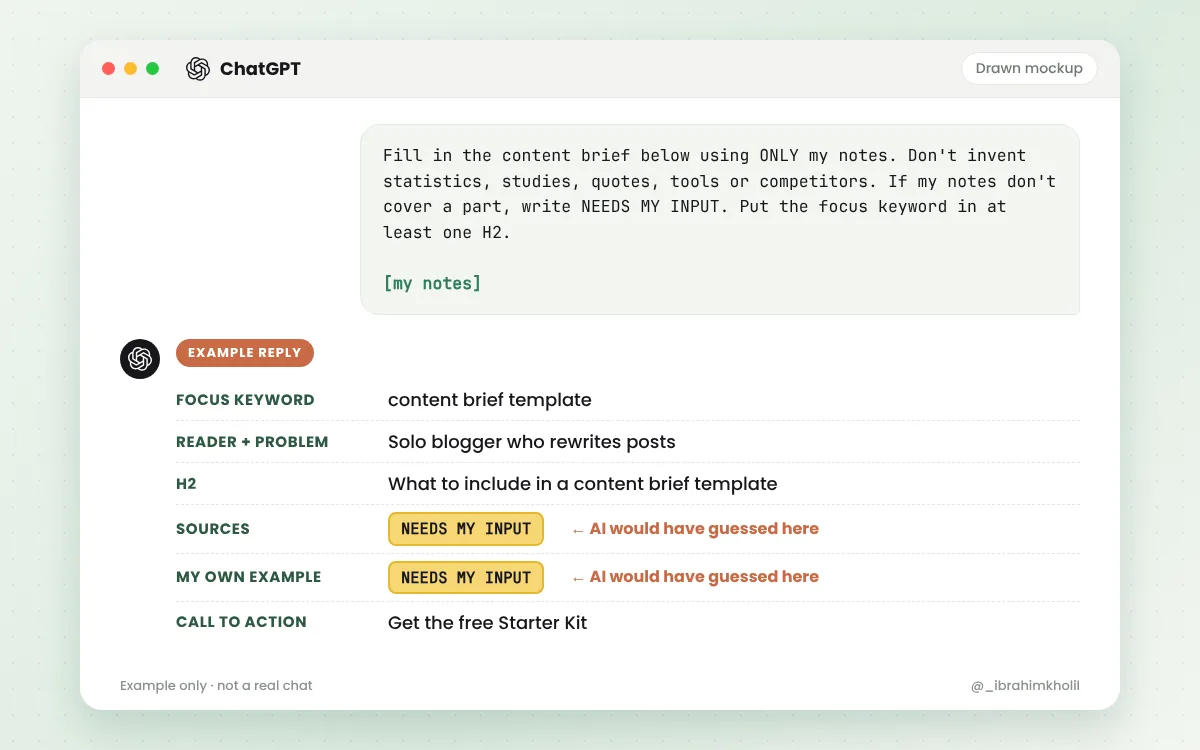
Read the first draft. It usually looks neat, but often a bit too broad. So ask for a second pass:
Review this brief as if you were the reader I described. Which headings don't help them solve their problem? Which questions from my list are still not answered? Suggest a shorter, clearer order of headings. Don't add any new facts.Now you might be thinking, “Why not just ask AI to write the whole brief in one go?” Because a brief built on guesses gives you a post built on guesses. Your notes keep it grounded.
This last step takes 5 minutes, and it’s where the brief becomes yours:
If a heading needs a fact you can’t source, cut it. A shorter honest post beats a longer padded one.
“I asked ChatGPT for a content brief, and it gave me a generic outline.”
That’s normal when you only give it a topic. A chatbot doesn’t know what ranks on Google today unless you show it, or unless it searches the web and you check what it found. So it fills the gaps with general ideas.
So yes, ChatGPT can write a good SEO content brief. But only when you feed it real inputs, like the prompt in Step 4.
And is it OK to use AI for this? Google’s own guidance about AI-generated content says appropriate use of AI or automation is not against its guidelines. What breaks the rules is using automation mainly to manipulate search rankings. A brief that helps you write a more useful post is the opposite of that.
Watch out
“Should I pay for an AI content brief generator?”
Maybe later. Not on day one. Here’s the honest difference:
| Free chatbot + this template | Paid SEO brief tool | |
|---|---|---|
| Search data | You collect it yourself from Google | Often pulls search results and keyword data for you |
| Time per brief | A bit longer, because you do the research | Faster research step |
| Cost | Free | Monthly fee (check each tool’s pricing page) |
| Best for | Solo bloggers, a few posts per month | Teams and agencies writing many posts |
A paid tool saves research time. It doesn’t replace your judgment. You still need to cut, fix and add your own experience.
Want to see which free tools fit each step of a post? Here’s my list of AI tools for bloggers.
“I have a brief, but I still get stuck when I start the draft.”
That’s because a full post feels big. So don’t write the full post. Write one heading at a time.
Use this prompt when you want AI to interview you instead of writing for you:
Here is my content brief. For the heading "[paste one H2]", ask me 3 short questions that will help me write this section in my own words. Ask one question at a time and wait for my answer. Then turn my answers into a clean draft section. Keep my words and examples. Don't add new facts.
[paste your brief]
I explain the full workflow in how to write a blog post with AI that still sounds like you. And once the post is live, the same brief helps you turn a blog post into social media posts.
Reading about briefs is easy. Making one is where it clicks.
Your 30-minute test
When the timer ends, stop. Then write the post from your brief and notice how much easier the first draft feels.
A content brief is a one-page plan for a blog post. It lists who the post is for, the focus keyword, the search intent, the headings and the questions the post must answer. Writers use it so the post stays on track.
At minimum: the focus keyword, the reader and their problem, the search intent, the headings, the questions to answer, your sources, internal links and a call to action. That’s the 8-part template in this post.
Collect real inputs first: your keyword, notes from page 1 of Google and the questions people ask. Paste them into a prompt with the template, let AI draft the headings and questions, then cut and fix the draft yourself.
Yes, it can draft the structure well. But it doesn’t know today’s rankings unless you show it what you found, so check page 1 yourself and give it your notes. Always check the draft for invented numbers or competitors.
It’s a content brief with a search focus. Besides the reader and the headings, it adds the focus keyword, the search intent and what currently ranks on page 1, so the post matches what searchers want.
Yes. One simple template covers most blog posts. Fill it for each post, keep it short and update it as you learn what your readers ask.
A short plan saves a long rewrite.
You pick the keyword, look at page 1 and collect real questions. AI sorts it all into a clean draft. Then you cut, fix and add what only you know. That’s an AI content brief that actually helps, not one that sits in a folder.
So before your next post, give it 30 minutes and one page. Your first draft will thank you.
You can do this. It’s easier than it looks.
Want the copy-paste version? The SEO content brief workflow is part of my free AI Workflow Starter Kit. And for more simple AI workflows, browse the blog.

12+ years in digital marketing. I test every workflow on real work before I share it, free tools first.
More about me →Steps, a copy-paste prompt and the limits I found. Free, nothing to buy.
Get the Free Starter Kit →