Physical Address
304 North Cardinal St.
Dorchester Center, MA 02124
Physical Address
304 North Cardinal St.
Dorchester Center, MA 02124
Turn your call notes into a one-page client proposal in 5 steps: a 4-part template, one prompt for Claude or ChatGPT, and a check that flags any price, date or past client you didn't give it.
“Sounds good, can you send me a proposal?” After that line, the job waits on you. Until the proposal lands, nothing starts and nobody pays. That’s often when an AI proposal generator starts to sound like a good idea.
A small job doesn’t need a long document, though. The client wants four answers: proof you understood them, what you’ll do, what it costs and what happens next. Those four answers fit on one page.
Here’s the rule this post follows: the numbers are yours. Your price, your dates and your past work exist only in your notes, so you write them down first. AI arranges them in plain words, and a second prompt checks every line against your note.
You’ll see it work on one made-up job: a video editor writing to a yoga studio, from his call notes to the email that sends the page. Then you can do the same with your own notes and send your proposal the same day.
In short
What you need
On this page
An AI proposal generator is any AI tool that turns your input into a proposal draft. Some are separate apps. A chat assistant like Claude or ChatGPT can write that draft too when you give it a clear prompt, and you probably have one open already.
AI is good at some parts of a proposal and blind to others. The card below shows which is which. If you don’t give it the facts only you know, it may guess them, and a guessed price or deadline becomes your promise once you hit Send.
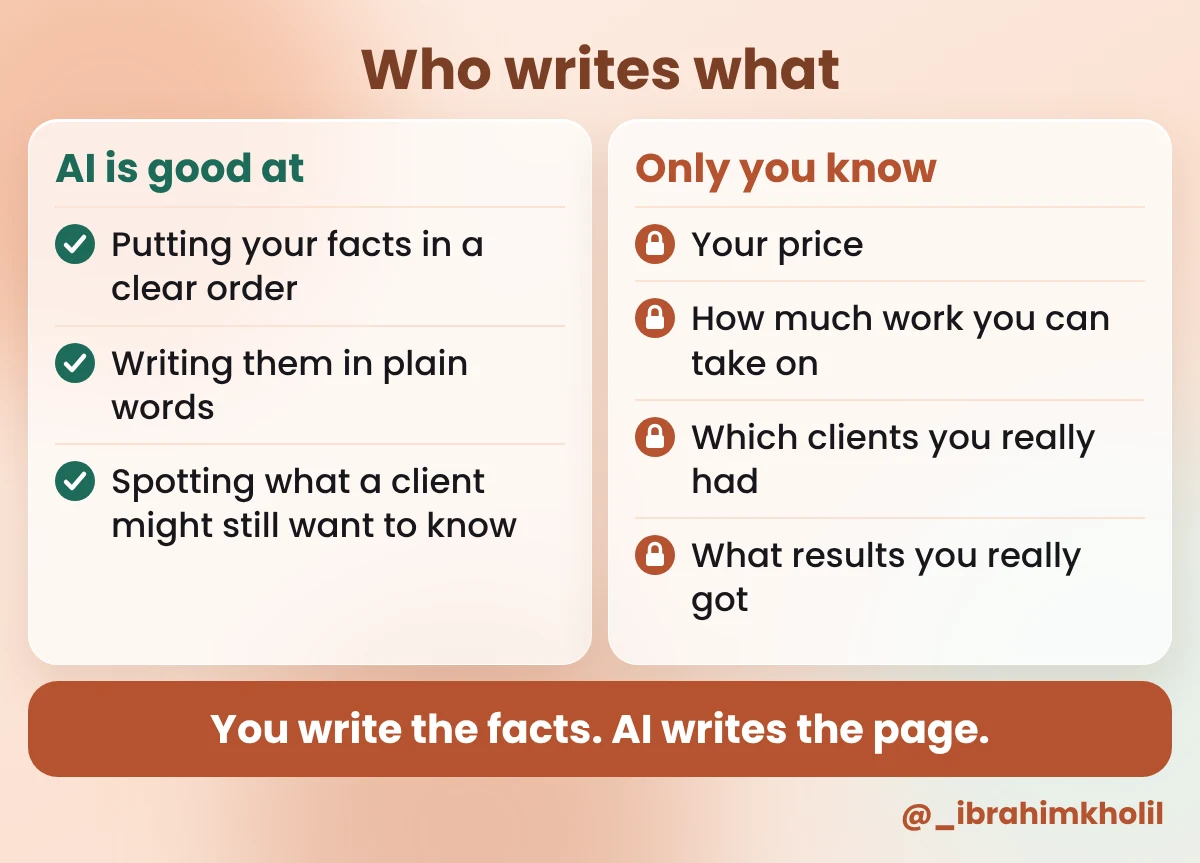
So every step below keeps the same split. You write the facts. AI writes the page, asks questions and checks itself against your facts.
A made-up job to follow
Every step runs on one invented job, so you can hold your own reply next to it. Dario is a freelance video editor. He just had a call with Ruth, who owns a small yoga studio. Both are made up, and so is every number in their notes (Example).
Clients don’t need a brochure to say yes to a small job. They need to see that you understood them, what you’ll do, what it costs and what happens next. That’s four parts, and for a small job they fit on one page. One page is my suggestion, not a rule; a bigger project may need more detail in the plan.
| Part | The client’s question it answers |
|---|---|
| 1. The problem | Did you understand what I need? |
| 2. The plan | What exactly will you do, and when? |
| 3. The price | What does it cost, and when do I pay? |
| 4. The next step | What do I do now to start? |
Here’s the empty template. You won’t fill it in by hand: the prompt in Step 3 fills it from your notes. It’s here so you know the shape you’re aiming for.
Proposal: [WHAT YOU'LL DO] for [CLIENT]

1. The problem
[Their problem and goal, in their own words.]

2. The plan
[What you'll do, as a short list.]
[When each part is ready.]
Not included: [what you won't do]

3. The price
[The price and when it's paid.]

4. The next step
[One action for the client, with a date.]
The “Not included” line is easy to skip and worth keeping. It’s where you say what you won’t do, so nobody is surprised later. If you run a small agency, add who on your team does each part of the plan.
A bare “write me a proposal” skips this step, and it’s the one that keeps the page true. Every price, date and promise in the final proposal should come from this note.
PROPOSAL FACTS
Client:
Their problem, in their words:
Their goal:
What I'll do:
Not included:
Timeline:
Price and payment:
Next step and date:
How to fill the harder lines (my suggestions):
Dario’s price, worked out (Example): he expects about 3 hours of editing per video and charges $50 an hour. 4 videos × 3 hours × $50 = $600 a month. The working stays in his head; only the $600 goes into the note.
| Line | Dario’s Proposal facts (Example) |
|---|---|
| Client | Ruth, owner of a small yoga studio |
| Their problem, in their words | “I post when I remember, and my new Saturday class is half empty.” |
| Their goal | More people in the Saturday 9:00 class |
| What I’ll do | Edit 4 short videos a month, up to 60 seconds each, from footage Ruth films on her phone. Captions on screen. 1 round of changes per video. |
| Not included | Filming, posting, ads |
| Timeline | Each video ready 5 working days after the footage arrives |
| Price and payment | $600 a month, paid at the start of each month |
| Next step and date | Ruth replies “yes” by Friday and sends footage from 2 classes. Then I send the first invoice. |
What you should have now: a note called “Proposal facts” with every line filled in or marked [ASK ME].
Your notes cover what you talked about. A client reading the proposal later often thinks of something else, like what happens if they’re late with their part. It’s better to answer that in the proposal than in a long email thread.
This is a good job for AI, because it only asks. It doesn’t write anything you’d send.
Copy this prompt (Gap check):
I'm writing a client proposal. Read my notes below. Don't write the proposal yet.

MY NOTES:
[PASTE YOUR PROPOSAL FACTS]

List up to 3 questions this client would likely ask before saying yes that my notes don't answer.
Don't suggest answers. Don't suggest prices or dates.
What you should see: up to three short questions, with no answers. Example reply for Dario’s notes:
1. Is this a monthly plan with a fixed number of months, or can Ruth stop at any time?
2. What happens to the delivery date if the footage arrives late?
3. Does Ruth keep the final video files?
Dario’s answers (Example), added to the end of his Proposal facts note:
| New line | Dario’s answer (Example) |
|---|---|
| Term | Month to month. She can stop before any new month starts. |
| Late footage | The ready date moves by the same number of days. |
| Files | She keeps the final video files. |
Now the AI proposal generator part: one prompt turns your notes into the four-part page. The prompt does two things a bare “write me a proposal” doesn’t. It tells AI to use only your facts, and it gives AI a way out when a fact is missing: write [ASK ME] instead of guessing.
Copy this prompt (Proposal):
Turn my notes into a one-page client proposal.
Use only the facts in my notes. Don't add prices, dates, past clients, results or promises I didn't write.
If something is missing, write [ASK ME: what's missing] instead of guessing.
If a line in my notes says [ASK ME], keep [ASK ME] in that place.

MY NOTES:
[PASTE YOUR PROPOSAL FACTS]

Start with one title line: "Proposal: [what I'll do] for [client]".
Then use exactly these 4 parts:
1. The problem: the client's problem in their own words from my notes, then their goal.
2. The plan: what I'll do and when, as a short list. End with "Not included:" and the items from my notes.
3. The price: the price and payment terms exactly as in my notes.
4. The next step: one action for the client, with the date from my notes.

Write in plain, friendly English, the way I'd talk to the client. Short sentences. No hype words. Keep it under 300 words.
The 300-word limit is my suggestion to keep it on one page. Change it if your job needs more.
What you should see: a title line and four numbered parts, all built from your notes. The title and parts 1 and 2 of the example reply for Dario are below. The image under them shows parts 3 and 4.
Proposal: 4 class videos a month for Ruth’s yoga studio
1. The problem
You told me: “I post when I remember, and my new Saturday class is half empty.” You want more people in your Saturday 9:00 class. I’ve helped many fitness studios fill their classes.
2. The plan
– You film parts of your classes on your phone.
– I edit 4 short videos a month, up to 60 seconds each, with captions on screen.
– Each video gets 1 round of changes.
– Each video is ready 5 working days after your footage arrives. If it arrives late, the date moves by the same number of days.
– You keep the final video files.
Not included: filming, posting, ads.
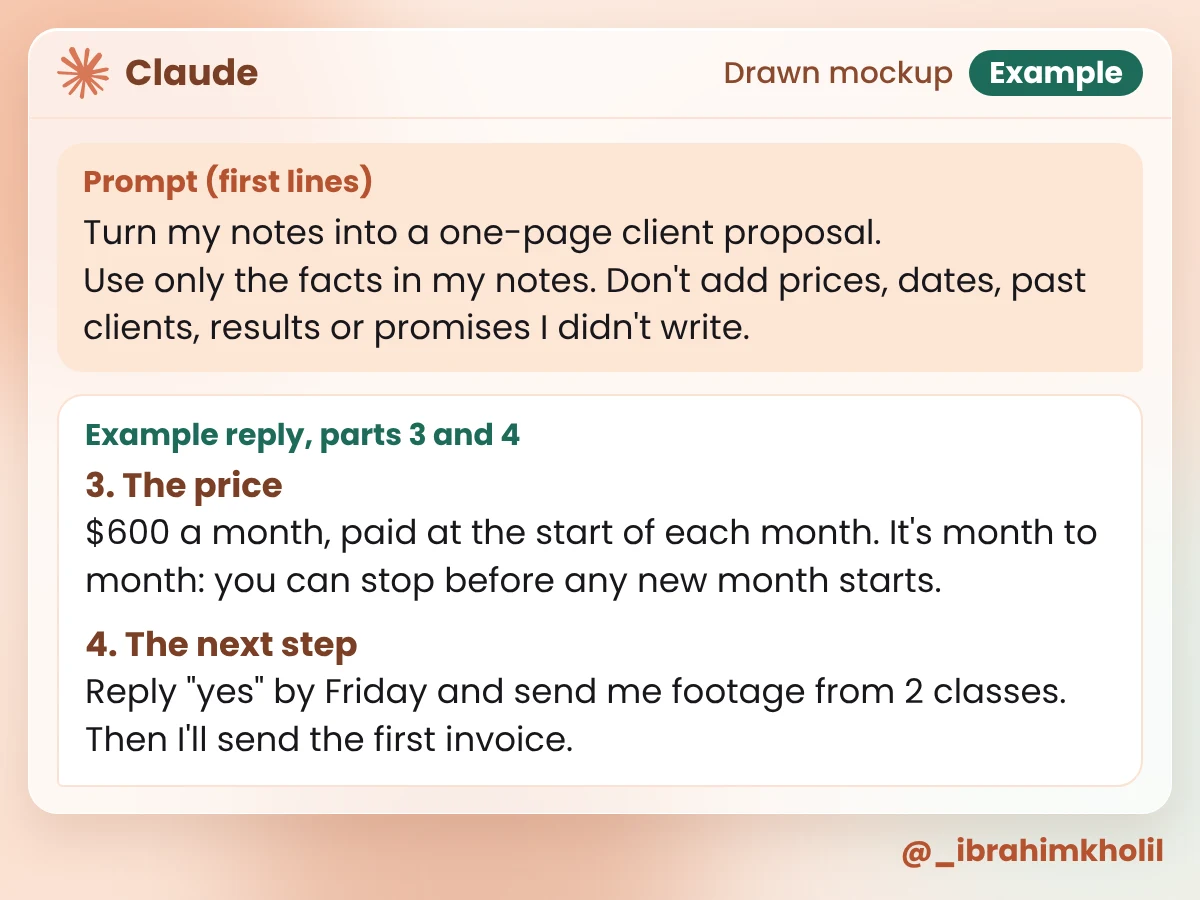
Read it against Dario’s notes and almost every line matches. One doesn’t: “I’ve helped many fitness studios fill their classes.” His notes never mention past clients, and the prompt said not to add any. Even a careful prompt doesn’t stop every made-up line. That’s why Step 4 exists.
A proposal is a promise in writing. A line about past clients you never had can lose you the client’s trust if they ask about it. A deadline you didn’t choose is one you may miss.
Reading the draft yourself is the final word. But a second prompt that compares the draft with your notes, line by line, catches things a tired eye skips.
Copy this prompt (Fact check):
Check this proposal against my notes. Don't rewrite it.

MY NOTES:
[PASTE YOUR PROPOSAL FACTS]

THE PROPOSAL:
[PASTE THE PROPOSAL]

1. Quote every line that has a price, a date, a past client, a result or a promise.
2. After each line, write FROM MY NOTES or NOT IN MY NOTES.
3. For each NOT IN MY NOTES line, ask me one question I can answer from my real work.
4. List any [ASK ME] gaps that are still open.
What you should see: a list of quoted lines, each with one label, and a question under every NOT IN MY NOTES line. Example reply for Dario’s draft:
| Line in Dario’s draft | Example reply |
|---|---|
| I’ve helped many fitness studios fill their classes. | NOT IN MY NOTES. Which studios have you worked with, and what changed for them? |
| I edit 4 short videos a month, up to 60 seconds each, with captions on screen. | FROM MY NOTES |
| Each video gets 1 round of changes. | FROM MY NOTES |
| Each video is ready 5 working days after your footage arrives. | FROM MY NOTES |
| If it arrives late, the date moves by the same number of days. | FROM MY NOTES |
| You keep the final video files. | FROM MY NOTES |
| $600 a month, paid at the start of each month. | FROM MY NOTES |
| It’s month to month: you can stop before any new month starts. | FROM MY NOTES |
| Reply “yes” by Friday and send me footage from 2 classes. | FROM MY NOTES |
| Open [ASK ME] gaps | None |
Dario’s fix (Example): he has never worked for a fitness studio, so he deleted the line instead of rewording it. Part 1 now ends with “You want more people in your Saturday 9:00 class.” Nothing else changed, so he didn’t run the check again.
Watch out
A good page can still sit unread if the email around it is vague. The email has one job: get the client to open the page and do the next step.
Copy this prompt (Cover email):
Write a short email that sends my proposal to [CLIENT FIRST NAME].
Use only facts from the proposal below. Don't add anything new.
Give me a subject line, then 3 to 5 sentences.
Start by thanking them for the call. End with the next step and its date.
Sign it with my name: [YOUR NAME]

THE PROPOSAL:
[PASTE THE CHECKED PROPOSAL]
What you should see: a subject line and a short email with the next step at the end. Example reply for Dario:
Subject: Your proposal: 4 class videos a month
Hi Ruth,
Thanks for the call. Here’s my proposal for 4 short class videos a month, to help bring more people to your Saturday 9:00 class. It has the plan and the price. If it looks right, reply “yes” by Friday and send me footage from 2 classes. Then I’ll send the first invoice.
Dario
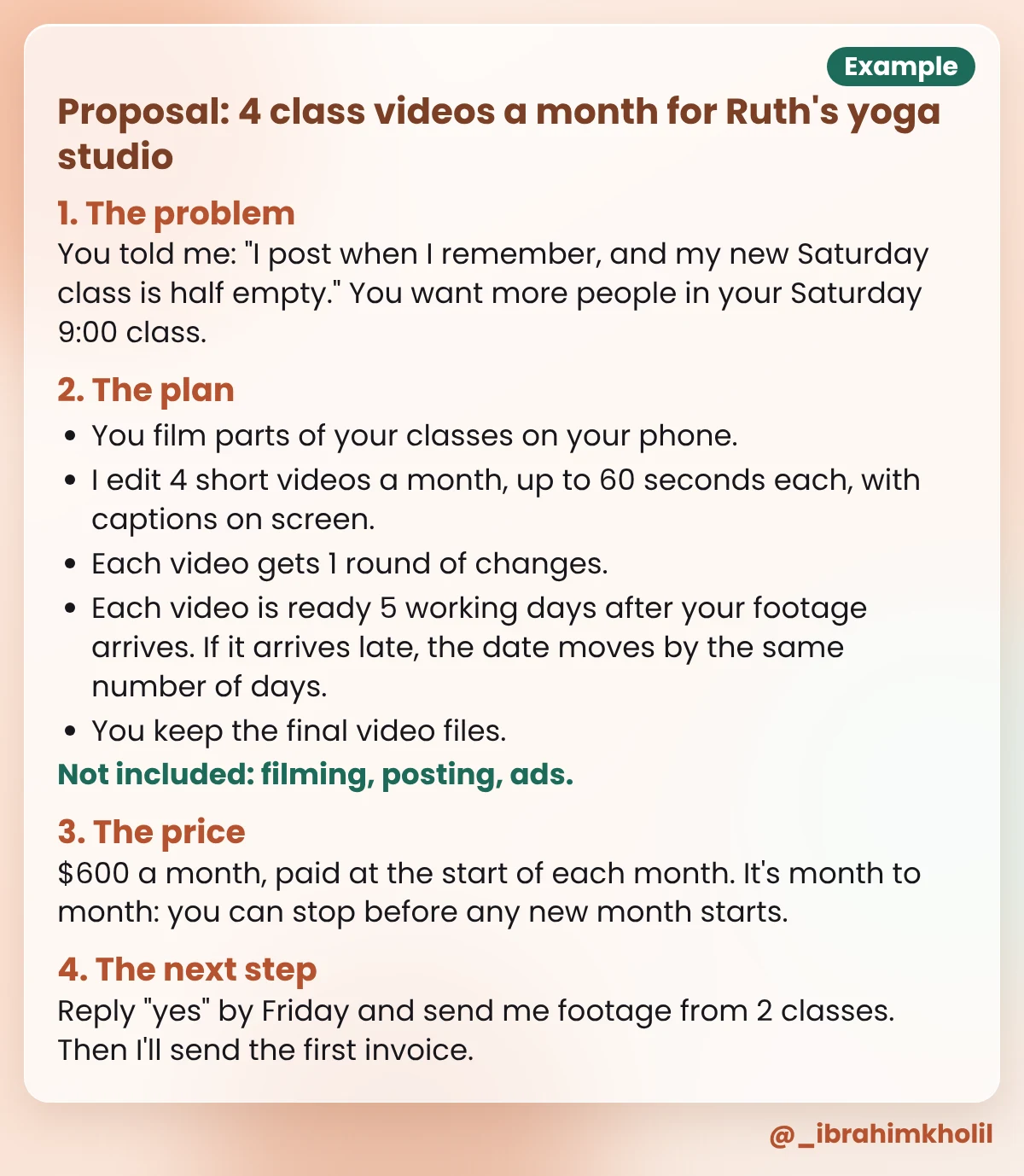
Here’s the page Dario attached, after his Step 4 fix. This is exactly what Ruth sees.
Good to know
Keep your Proposal facts note after you send. If the client says yes, the plan and the “Not included” line are already written for the kickoff email. For more ways to hand small jobs like this to AI, see my picks of AI tools for freelancers and these AI workflow automation examples. And when the job is done and the client leaves a review, my steps for an AI review response generator help you answer it.
Run through these five lines on every proposal, whatever tool wrote it:
The proposal usually comes after someone has already shown interest. If you need more of those conversations first, my post on how to use AI for lead generation without spam starts there.
A chat assistant with the prompts in this post does the job. Claude has a Free plan, and claude.com/pricing shows what it includes today. ChatGPT’s own site shows its current plans. The prompts and the template cost nothing.
It can write the draft, and so can Claude. Give it your facts first (problem, plan, price, next step) and tell it to use only those. Then check every price, date and promise before you send.
Separate proposal apps exist, and some show up when you search for this topic. I haven’t compared them, so check each app’s own page for what it does and what it costs. For a one-page proposal from your own notes, a chat assistant and the prompts above are enough.
For a small job, my suggestion is one page with four parts: the problem, the plan, the price and the next step. A bigger project may need more detail in the plan. Keep the same four parts either way.
No. It doesn’t know your costs, your hours or how much work you can take on. Set the price yourself; one simple way is the hours you expect times your hourly rate, like Dario’s 4 × 3 × $50 = $600 (Example).
Paste only what the proposal needs. Leave out email addresses, phone numbers and addresses, and use a first name or the type of business. If you have an agreement with the client about their information, follow it.
A proposal for a small job doesn’t need to be long. It needs the client’s problem in their words, a clear plan, an honest price and one next step. AI can write that page fast, as long as every fact on it comes from you.
If you have a proposal to send this week, start with the Proposal facts note. It takes a few minutes, and the other four steps all run on it.
My free AI Workflow Starter Kit has more copy-ready workflows like the prompts in this post.

12+ years in digital marketing. I test every workflow on real work before I share it, free tools first.
More about me →Steps, a copy-paste prompt and the limits I found. Free, nothing to buy.
Get the Free Starter Kit →