Physical Address
304 North Cardinal St.
Dorchester Center, MA 02124
Physical Address
304 North Cardinal St.
Dorchester Center, MA 02124
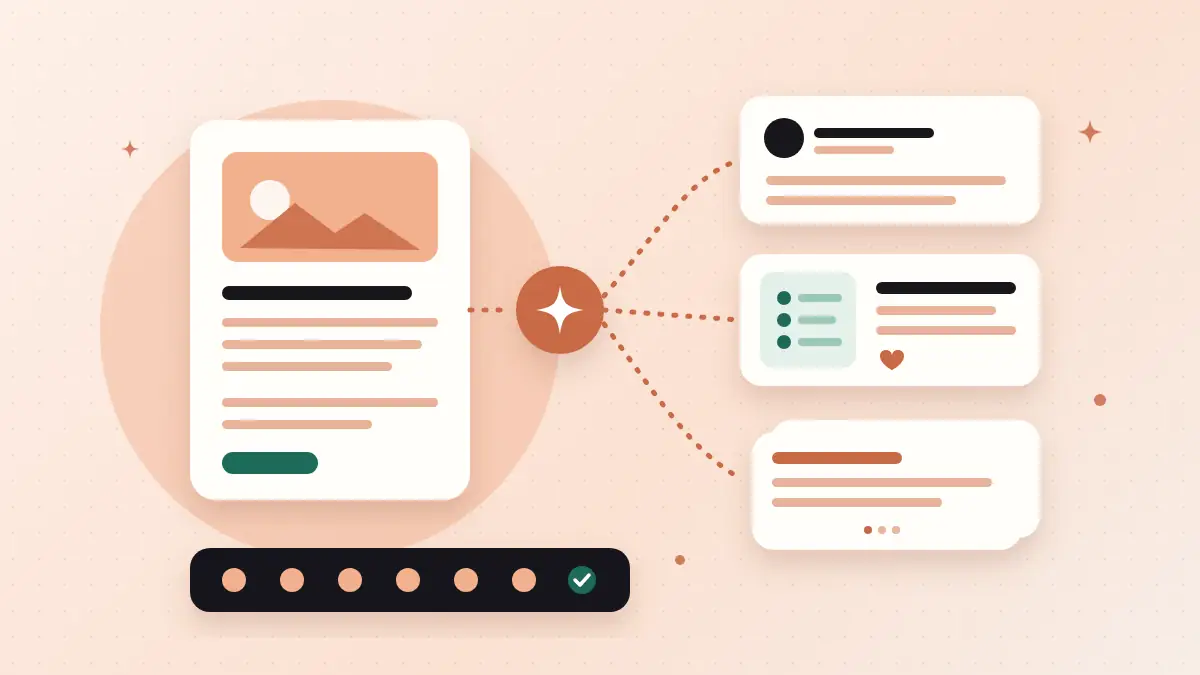
You spend hours on a blog post, share the link once, and it disappears. Here's how to turn a blog post into social media posts with AI: a full week of posts in 7 easy steps.
Most bloggers know they should turn a blog post into social media posts. But here’s what usually happens. You spend hours on one post, fix every typo, hit publish and share the link on Facebook.
A few likes. Maybe one comment. And by tomorrow, the post is gone from everyone’s feed.
All that work, for one day of attention.
If that sounds like you, you’re not alone. Most bloggers write good posts and then let them disappear after a single share.
But there’s a better way.
One good blog post already holds enough ideas for a full week of social media posts. You just need to pull them out. And AI is very good at that part.
In this post, I’ll show you how to turn a blog post into social media posts with AI in 7 easy steps. Free tools only, with copy-paste prompts for each step.
In short
On this page
“I share every new post on social media. But almost nobody clicks.”
Sound familiar? Here’s what usually happens.
People scroll fast. A bare link with a title doesn’t tell them why they should stop. And because you share it only once, most of your followers never even see it.
Think of it like opening a new shop and putting one small sign on the door for a single day. Some people walk past. Most never notice.
So, here’s what to do instead. Share the ideas inside your post, not only the link. Each social post should be useful on its own, even if nobody clicks. The people who want more will go and read the full article.
| Sharing the link once | One post, one week | |
|---|---|---|
| Number of posts | 1 | About 7 |
| What people see | A title and a link | A useful tip each day |
| Value without clicking | Almost none | Every post helps on its own |
| Chances to be noticed | One day | A full week |
“I don’t have time to create new content every single day.”
Good news. You probably don’t need new content. You need to use the content you already have.
A normal how-to blog post already contains lots of small pieces. Each one can become its own social post:
So one post can easily give you 7 social posts. Here’s a simple weekly plan you can start with:
You don’t have to follow this plan exactly. It’s just a starting point, so you never sit and wonder, “What should I post today?”
“Do I need a paid repurposing tool for this?”
No. Here’s all you need:
Looking for more free tools for your blog? Here are 5 free AI tools every blogger should know about.
I call this the One Post, One Week method. You start with one article and finish with a full week of posts, ready to schedule.
Let’s go step by step.
Not every post is a good fit. News or “what happened this week” posts get old fast.
Pick a post that still helps people months from now. How-to guides, checklists and posts with clear steps work best.
Quick test: Does this post answer a question your readers ask again and again? If yes, it’s a good one.
Open a new chat, paste your full blog post, and add this prompt:
Here is my blog post. List 10 ideas from it that could each work as a social media post on their own: the main problem, each tip or step, mistakes, questions and strong lines. Use only what is in my post. Don't add new facts. For each idea, quote the sentence from my post it came from.
[paste your blog post]
Asking for the original sentence is the trick here. It makes it easy to check that AI didn’t invent anything.
Now read the list. Cross out anything that feels weak or that you can’t back up. Keep the 7 ideas you like most.
Then paste this:
Put these 7 ideas into a one-week posting plan, one idea per day from Monday to Sunday. Start with the problem, put the step-by-step idea in the middle of the week, and end on Sunday with a short recap that links to the full post. Show it as a simple table: day, idea, post type (text, image or question).
[paste your 7 ideas]
Copy the table into your Google Doc. That’s your plan for the week.
Here’s where many people go wrong. They write one caption and paste it on every platform.
But people use each platform differently. LinkedIn readers like a clear lesson. Facebook works best when it’s short and friendly. Instagram is all about the picture first, then a caption that’s easy to scan.
So write a version for each one. Use this prompt for each day:
Using only this idea from my blog post, write 3 short posts:
1. LinkedIn: start with a one-line hook, then 3 to 5 short lines, then a question.
2. Facebook: short and friendly, 2 to 4 sentences.
3. Instagram caption: a hook, then simple numbered points, then "Save this for later."
Use plain, everyday English. Keep my wording where you can. No hype words, no new facts, no more than 5 hashtags.
[paste the idea and the part of the post it came from]
LinkedIn lets you write up to 3,000 characters in a post. But you don’t need to use them all. Short lines with white space are easier to read on a phone.
A list of steps works great as an image. People save posts like that to use later.
Ask AI to write the text for it:
Turn the steps in my blog post into text for a carousel of 5 to 7 slides. Slide 1 is a short headline that names the problem. Each slide after that has one step: a title of up to 6 words and one short sentence. The last slide says where to read the full guide. Use only what is in my post.Then put the text into a free Canva template. Keep it simple: big words, lots of space, one idea per slide.
Don’t skip this step. AI can sound confident even when it’s wrong. And it loves fancy words you’d never say.
Paste your week of posts and use this prompt:
Check these social media posts against my blog post. List any claim, number or name that is not in my blog post, and any sentence that sounds robotic or full of hype. Don't rewrite the posts. Just give me the list.
[paste your posts and your blog post]
Fix what it finds. Then read each post out loud. If you wouldn’t say it to a friend, change it.
Want a full guide to keeping your own voice when you write with AI? Read how to write a blog post with AI that still sounds like you.
You don’t have to post by hand every day. Schedule everything in one sitting with free tools:
One last thing. You don’t need a link in every post. Let most posts give value on their own. Then add the link on the days it fits best, like the step-by-step image and the Sunday recap.
Good to know
Google says it rewards content made to help people first. The same idea works on social media. Each post should help the reader right there in their feed, not only send them somewhere else.
Reading about it is one thing. Trying it once is where it clicks.
Your quick test
That’s about 15 minutes of work. And you’ll see how much is already sitting inside your old posts.
A few small mistakes can make your posts look rushed. Watch out for these.
Watch out for these
Most how-to posts can give you 5 to 10 social posts: the problem, each step, a mistake, a question and a few FAQ answers. Seven is a good number to start with, because it fills one week.
Use the same idea, but change the wording. A LinkedIn post can teach a clear lesson, a Facebook post can be shorter and friendlier, and an Instagram post starts with the image.
Yes, as long as the ideas come from you and you check every post before it goes live. Use AI to save time on the first draft, then edit it so it sounds like you.
No. Posts that give value on their own make people trust you more. Add the link where it fits best, like on a step-by-step image or a recap post. On Instagram, most people point readers to the link in their bio.
Yes, and they’re often the best ones to start with. Just check that the advice is still correct and update anything that has changed before you share it again.
ChatGPT, Gemini and Claude can all run every prompt in this post on their free plans. Pick the one you already use. What you give the AI matters more than which AI you use.
You already did the hard part when you wrote the blog post.
Now let it work for you a little longer. Pull out the ideas, give each one its own day, and let AI handle the first drafts.
So this week, pick one post and turn a blog post into social media posts the One Post, One Week way. Start small. Even three good posts are better than one forgotten link.
You can do this. It’s easier than it looks.
Want the copy-paste version? This workflow is part of my free AI Workflow Starter Kit. And for more simple AI workflows, browse the blog.

12+ years in digital marketing. I test every workflow on real work before I share it, free tools first.
More about me →Steps, a copy-paste prompt and the limits I found. Free, nothing to buy.
Get the Free Starter Kit →